GreenTouch MP3: A Complete Guide to the Kosher MP3 Player
Discover the GreenTouch MP3 player — a TAG-approved, distraction-free music device with no internet or video. Compare 3 models starting at $69.99.
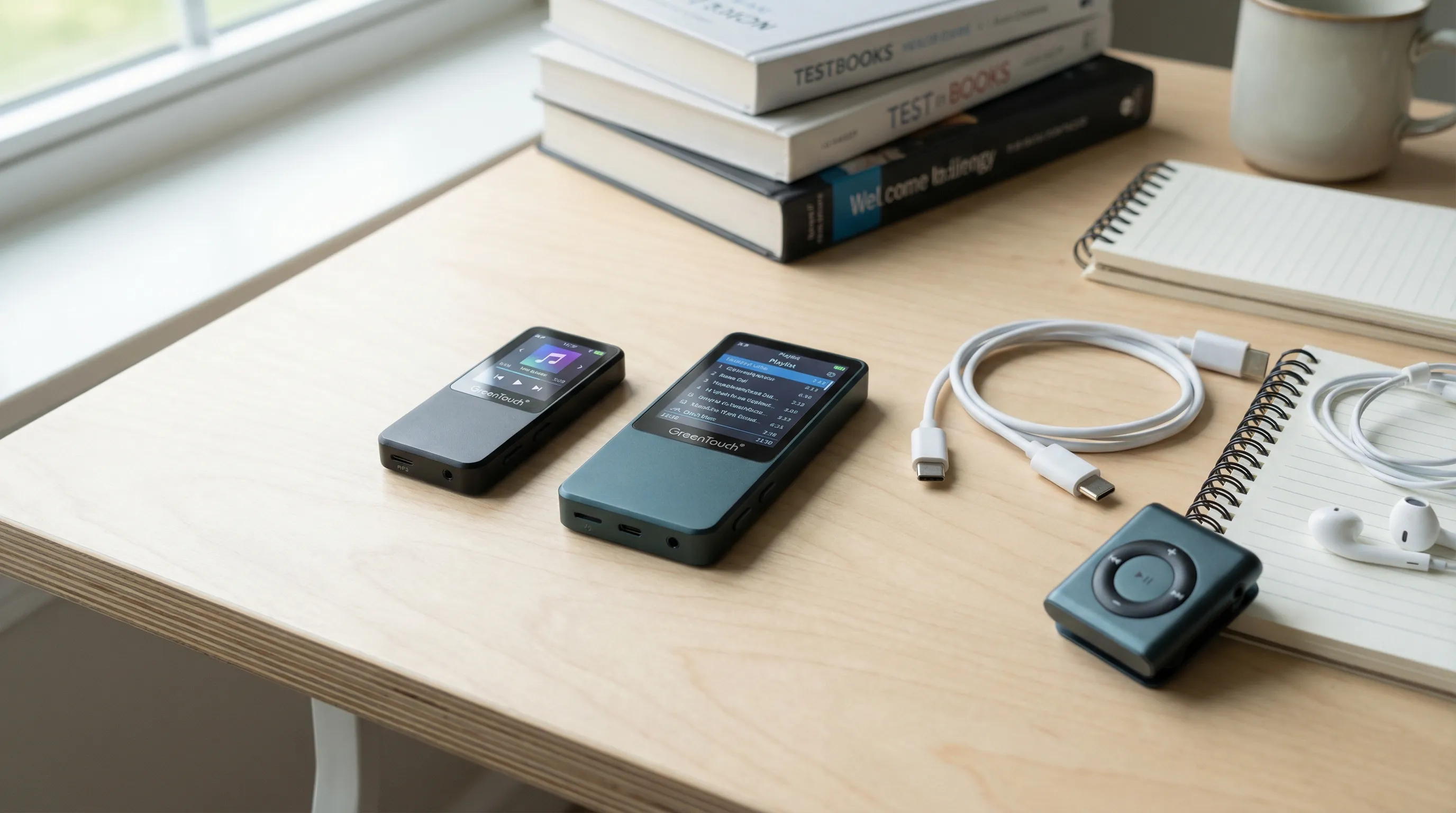
There's something almost radical about a device that does one thing well and nothing else. The GreenTouch MP3 player is exactly that, a dedicated music player with no internet, no video, no browser, and no distractions. Just your music, your audio content, and a battery that lasts.
Whether you're a student heading off to a program that restricts devices, a parent looking for a screen-free music option for your kids, or someone who's just tired of reaching for your phone every time you want to hear a song, the GreenTouch MP3 might be the simplest solution you haven't considered yet. In this guide, we'll walk through what the GreenTouch MP3 actually is, what it can (and can't) do, and who it's the best fit for.
What Is the GreenTouch MP3?
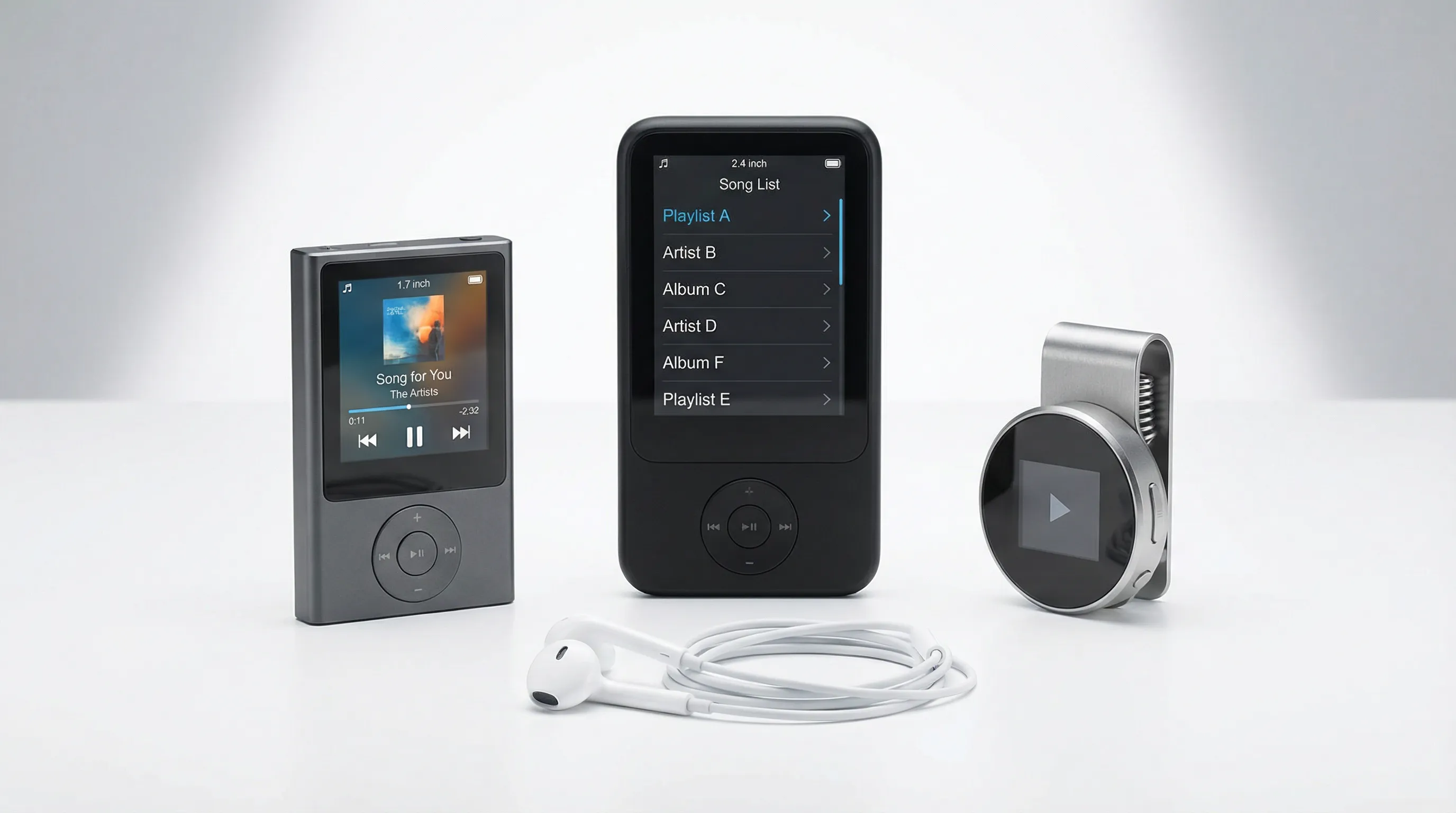
The GreenTouch MP3 is a TAG-approved, dedicated music player built for people who want audio without any of the digital baggage. No internet. No Wi-Fi. No video playback. No picture viewing. It's a device that plays music and audio files, period.
GreenTouch actually makes several models, and we carry three of them:
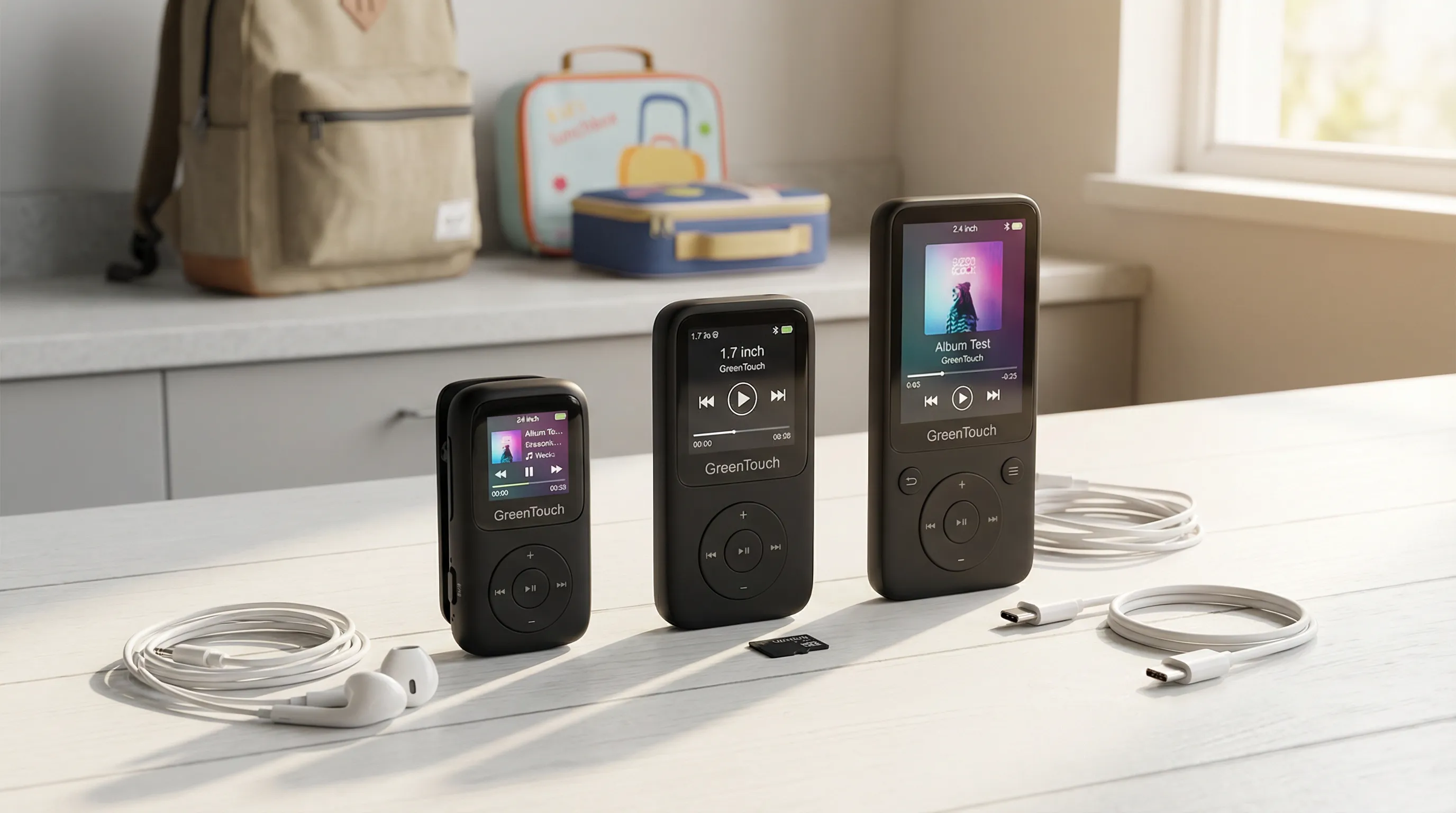
- The GreenTouch X3, a compact player with a 1.7-inch color screen, available in 64GB (with SD card expansion) at $69.99 or 128GB (no SD slot) at $79.99.
- The GreenTouch Six Player, a larger player with a 2.4-inch color screen, available in 64GB (with SD card expansion) at $94.99 or 128GB (no SD slot) at $99.99.
- The GreenTouch Klip Mini, a clip-on mini player, available in 64GB (with SD card expansion) at $69.99 or 128GB (no SD slot) at $74.99.
All three are TAG-approved, meaning they've been reviewed and meet strict standards for devices without problematic content. There's no hidden browser, no way to download apps, and no workaround to add video. What you see is what you get.
Key Features and Specs
Audio Quality and Storage
All three GreenTouch models support common audio formats, so your MP3s, WMAs, and other standard files will play without issues. They all include Bluetooth 5.0 for wireless headphones or speakers, though it's worth noting the Bluetooth is for audio output only, not for connecting to phones.
Every model also has a 3.5mm headphone jack and a built-in speaker. Headphones come included in the box, so you're ready to listen right out of the packaging.
Here's a quick comparison of storage across models:
| Model | Storage Options | SD Card Expansion | Screen Size |
|---|---|---|---|
| GreenTouch X3 | 64GB or 128GB | Yes (64GB version only) | 1.7-inch color |
| GreenTouch Six Player | 64GB or 128GB | Yes (64GB version only) | 2.4-inch color |
| GreenTouch Klip Mini | 64GB or 128GB | Yes (64GB version only) | Small color display |
A quick note on the storage versions: with every model, the 64GB version includes an SD card slot for expansion, while the 128GB version does not have an SD slot. So if you think you'll want to add storage later, go with the 64GB. If you'd rather just have more space built in and skip the card, grab the 128GB.
Battery Life and Build
GreenTouch players charge via USB Type-C, which is the same cable most modern devices use. No hunting for a weird proprietary charger.
The build quality is straightforward and durable, these aren't fragile gadgets. They're designed to be tossed in a bag, clipped to a belt (especially the Klip Mini), or handed to a kid without constant worry. All models come with a 1-year limited manufacturer warranty, and each box includes a charging cable and headphones.
Beyond music, every GreenTouch player packs in a few useful extras: voice recording, an eBook reader, a file explorer, an alarm clock, and a calendar. There's also Yiddish language support with English-Yiddish translation built in, a genuinely unique feature you won't find on most players.
Why a Dedicated MP3 Player Still Makes Sense
It's a fair question. Why buy a separate device for music when phones play music too?
Here's the honest answer: because a phone that plays music also plays everything else. Every notification. Every app. Every rabbit hole. You pick it up to press play on a playlist and twenty minutes later you're scrolling through something you didn't mean to open.
A dedicated MP3 player removes that entirely. You press play. Music plays. That's it. There's no temptation to check anything because there's nothing to check.
For students in programs that restrict devices, a GreenTouch MP3 is one of the few approved ways to listen to music and recorded lectures. For kids, it's a way to give them independence over their own music library without handing them a screen full of distractions. And for anyone practicing digital minimalism, it's one more thing you can take off your phone's plate.
There's also a practical angle. Dedicated players don't eat into your phone's battery. They don't interrupt your music with calls or texts. And they tend to last longer on a single charge because they're only doing one job.
Sometimes the smartest device is the one that does less.
Who the GreenTouch MP3 Is Best For
Seminary and Yeshiva Students
Many religious programs require or strongly encourage students to use restricted devices. A GreenTouch MP3 fits right in, it's TAG-approved with no internet, no video, and no way to access problematic content. Students can load music and recorded lectures before they leave, then listen all semester without needing Wi-Fi or data.
The GreenTouch Klip Mini is especially popular with students because of its clip-on design. It attaches to a pocket or bag strap, and at $69.99 for the 64GB version, it won't break the budget.
Kids and Teens
Giving a child their own music player is a different thing entirely from giving them a phone. There's no browser to stumble onto, no social media to get pulled into, no messaging to worry about. Just music.
Parents can load age-appropriate songs and audio content onto the device via computer, and some models offer a computer loading lock so kids can't add content on their own. It's a real gift of independence without the risks.
Digital Minimalists
If you've been trying to reduce how often you reach for your phone, separating music from your phone is a surprisingly effective step. You'd be amazed how many phone pickups start with "I just want to change the song" and end somewhere completely different.
A GreenTouch MP3 keeps your music separate. Your phone stays in your pocket (or better yet, in another room), and your music stays on a device that can't distract you with anything else.
How to Load Music and Shiurim onto the GreenTouch MP3
Loading content onto a GreenTouch player is simple. Connect it to your computer using the included USB Type-C cable. Your computer will recognize it as a storage device, like a flash drive. Then just drag and drop your audio files into the music folder.
That's really it. No special software required. No app to install. No account to create.
For recorded lectures and audio classes, the process is the same. Download the files to your computer first, then transfer them to the player. Most audio content sites let you download MP3 files directly.
If you have the 64GB version with an SD card slot, you can also load files onto an SD card from your computer and then insert it into the player. This is handy if you want to swap content libraries or share cards between family members.
One thing to keep in mind: these players support standard audio formats like MP3, WMA, WAV, and similar. If your files are in an unusual format, you may need to convert them first using a free converter tool on your computer. But for the vast majority of music and audio content, you'll be fine.
GreenTouch MP3 vs. Smartphone Music: What You Give Up and What You Gain
Let's be straightforward about trade-offs. We think the GreenTouch MP3 is a great device, but it's not trying to replace a phone's music experience feature-for-feature. Here's what the comparison actually looks like:
| Feature | GreenTouch MP3 | Phone Music |
|---|---|---|
| Streaming (Spotify, etc.) | No | Yes |
| Offline music playback | Yes | Yes |
| Bluetooth headphones | Yes | Yes |
| Distraction-free | Yes | No |
| Internet access | No | Yes |
| Notifications interrupting music | No | Yes |
| Battery drain on your phone | No | Yes |
| Separate device to carry | Yes | No |
What you give up: Streaming services. You can't open Spotify or Apple Music on a GreenTouch. All your music needs to be loaded from a computer. That means a bit more planning upfront.
What you gain: Complete focus. No notifications breaking your concentration during a study session. No temptation to "just check one thing." And your phone battery stays full because it's not running audio all day.
For some people, the trade-off is obvious. For others, streaming is non-negotiable. We get it. But if you're reading this article, you're probably leaning toward the "less distraction" side of things, and that's exactly where the GreenTouch MP3 shines.
Things to Know Before You Buy
A few practical details that are worth knowing upfront:
Storage version matters. The 64GB versions include an SD card slot for expansion. The 128GB versions don't. If flexibility matters to you, the 64GB with an SD card might actually give you more total storage than the 128GB alone.
No video, no pictures. This is by design. The GreenTouch MP3 is TAG-approved specifically because it doesn't have these capabilities. If you need video playback, this isn't the device for you.
Bluetooth is audio-only. You can pair wireless headphones and speakers, but you can't connect the player to a phone or transfer files via Bluetooth.
You need a computer to load music. There's no way to download music directly onto the device. You'll need a computer with a USB port and your audio files ready to transfer.
Consider a case for the Six Player. If you go with the larger GreenTouch Six Player, there's a leather protective case available for $14.99 that adds screen protection and a flip cover.
Also worth browsing: if you want to compare all the GreenTouch models side by side, you can see the full GreenTouch collection or our complete lineup of offline music players to find the right fit.
Conclusion
The GreenTouch MP3 does exactly what it promises: plays your music and audio content without any internet, video, or digital distractions. It's TAG-approved, affordable (starting at $69.99), and built for anyone who wants to keep music simple and separate.
For students heading to programs with device restrictions, it's practically essential. For parents, it's a way to give kids their own music without worry. And for anyone trying to untangle their daily habits from a screen, it's a small but meaningful step.
We carry three GreenTouch models, the compact X3, the clip-on Klip Mini, and the larger Six Player, and every one ships ready to use with headphones and a charging cable in the box. If you're not sure which model fits your needs, our team is available via 24/6 live chat to help you choose. No pressure, no guesswork, just honest guidance from people who know these devices inside and out.
Frequently Asked Questions
What is the GreenTouch MP3 player and what makes it different from a phone?
The GreenTouch MP3 is a TAG-approved, dedicated music player with no internet, Wi-Fi, video, or apps. Unlike a smartphone, it plays only audio files, eliminating digital distractions. It's ideal for students, kids, and digital minimalists who want a focused, screen-free listening experience starting at $69.99.
How do I load music onto a GreenTouch MP3 player?
Simply connect the GreenTouch MP3 to your computer using the included USB Type-C cable. Your computer recognizes it as a storage device, and you drag and drop MP3, WMA, or WAV files into the music folder. No special software, apps, or accounts are needed.
Which GreenTouch MP3 model should I choose?
GreenTouch offers three models: the compact X3 ($69.99+), the clip-on Klip Mini ($69.99+), and the larger Six Player ($94.99+). Choose the Klip Mini for portability, the Six Player for a bigger 2.4-inch screen, or the X3 for a balanced compact option. All are TAG-approved.
Should I get the 64GB or 128GB version of the GreenTouch MP3?
The 64GB version includes an SD card slot for expandable storage, potentially giving you more total space. The 128GB version has more built-in storage but no SD slot. If you want flexibility to swap or add storage later, the 64GB with an SD card is the better choice.
Can the GreenTouch MP3 connect to Bluetooth headphones and speakers?
Yes, all GreenTouch MP3 models feature Bluetooth 5.0 for wireless audio output. You can pair them with Bluetooth headphones or speakers. However, Bluetooth is audio-only — it cannot connect to phones or transfer files wirelessly. A 3.5mm headphone jack is also included.
Is the GreenTouch MP3 approved for yeshiva and seminary programs?
Yes, all GreenTouch MP3 models are TAG-certified, meeting strict standards for devices without problematic content. With no internet, video, browser, or downloadable apps, they are approved for religious programs that restrict digital devices, making them a popular choice among seminary and yeshiva students.













































.svg)